

We’ve introduced UI Logs for Gelato Bundler endpoints!
- You can now track all your requests directly in the dashboard, and easily debug failed requests using built-in Tenderly simulations.
- Additionally, you can get info such as response time, request body, response body, and more.
Debugging Failed Requests Using UI Logs
You can use the UI logs to debug failed requests directly from the Gelato app. These logs are available in the Paymaster & Bundler section of the dashboard.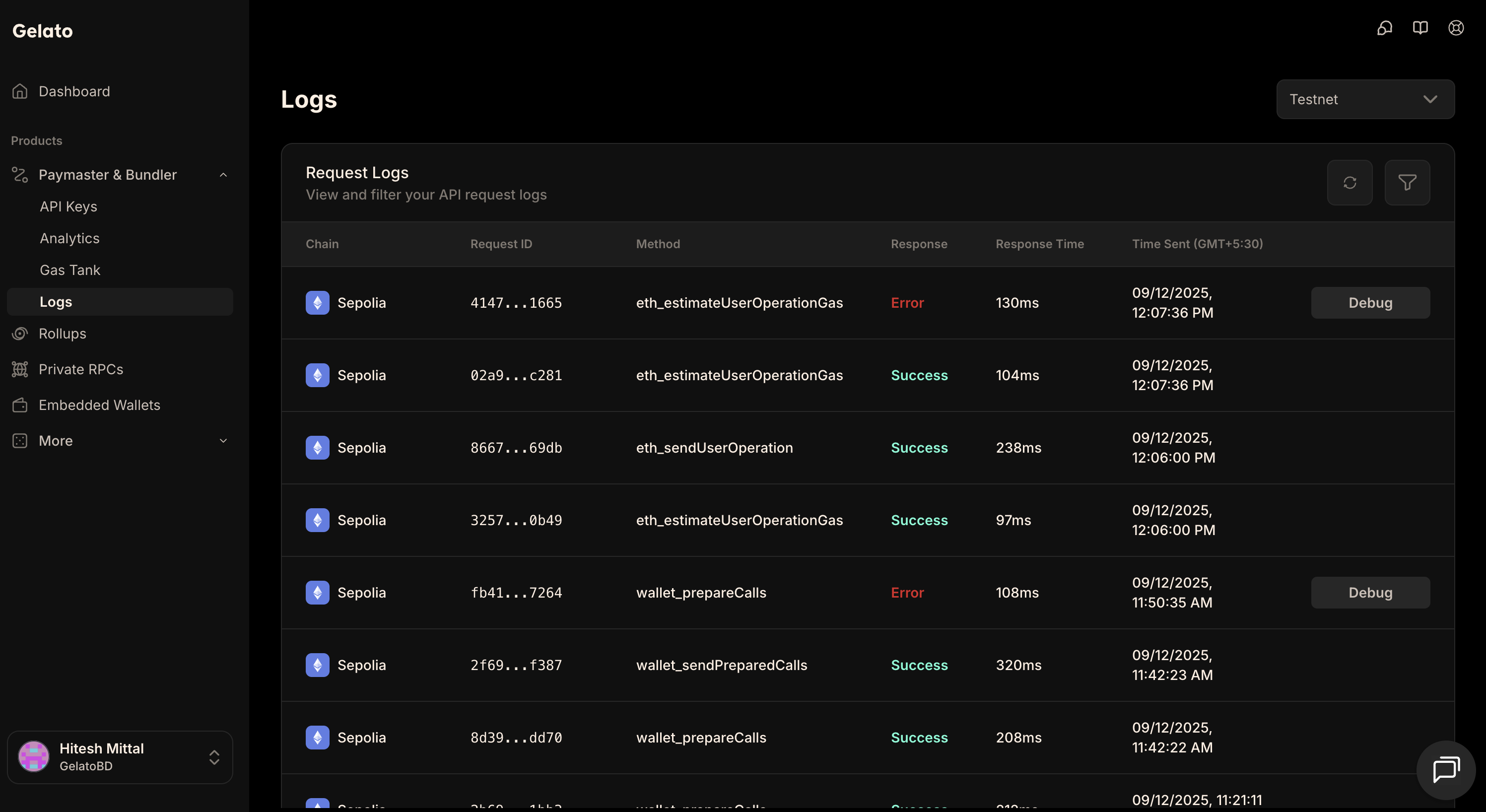
Steps to Debug
- Go to the logs section and locate your failed relay request.
- On the right side of the log entry, click the Debug button.
- A new option, View Debug, will appear. Click it.
- This will open a Tenderly simulation, which you can use to analyze and debug the failed request.
Using Status Endpoint
If you call therelayer_sendTransaction or relayer_sendTransactionSync API endpoints, the returned id can also be used to track the status of the transaction through Gelato’s infrastructure like this:
Response
Status Codes
Therelayer_getStatus endpoint returns numeric status codes:
Using Status Codes in Code
When using the SDK,sendTransactionSync returns the receipt directly and throws on failure: