

Initial Steps
1
Create an Oracle Task in the Gelato App
As outlined in the Quick Start guide, begin by creating a new Oracle Task in the Gelato App. Select Stork as your data provider and choose the specific price feeds you wish to monitor. This setup ensures your application receives real-time data from the selected pairs.
2
Fund Your Dedicated msg.sender Address
It is necessary to deposit some ETH to your dedicated msg.sender because Stork enforces a fee for each price update. This fee is calculated dynamically based on the number of updates you submit, though in most cases, it amounts to just 1 WEI per update. To prevent transaction reversion, ensure that your dedicated msg.sender address is sufficiently funded to cover these fees.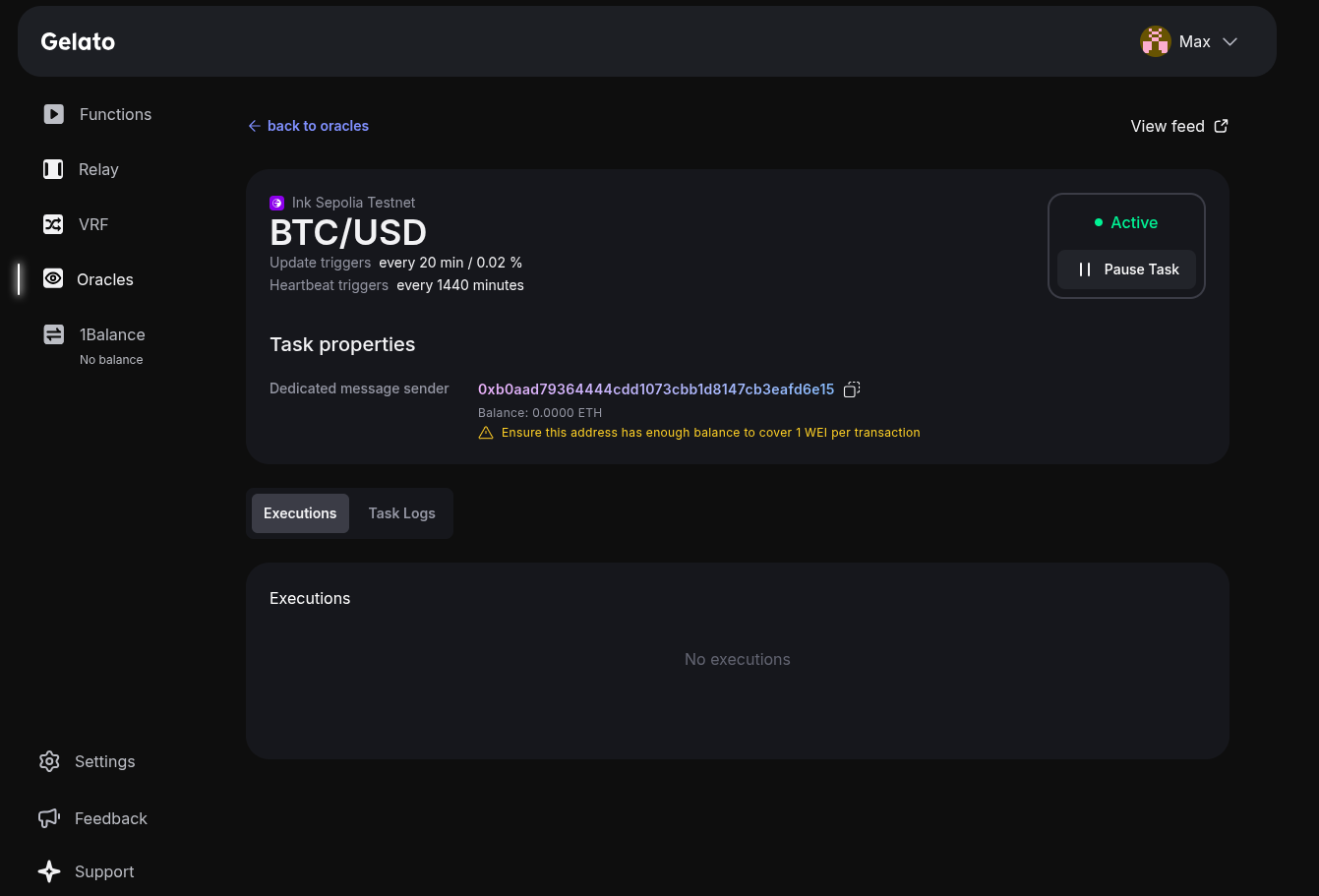
3
Integrate the Price Feeds into Your Smart Contract
Once your Oracle Task is live, you can pull the associated price feeds into your smart contract. For a list of Stork contract addresses and integration details, refer to the Supported Networks. Incorporate these feeds into your contract’s logic as needed to automate on-chain functions with reliable, accurate market data.